Execute Evaluation
Step 4 — review your complete configuration and launch the evaluation.
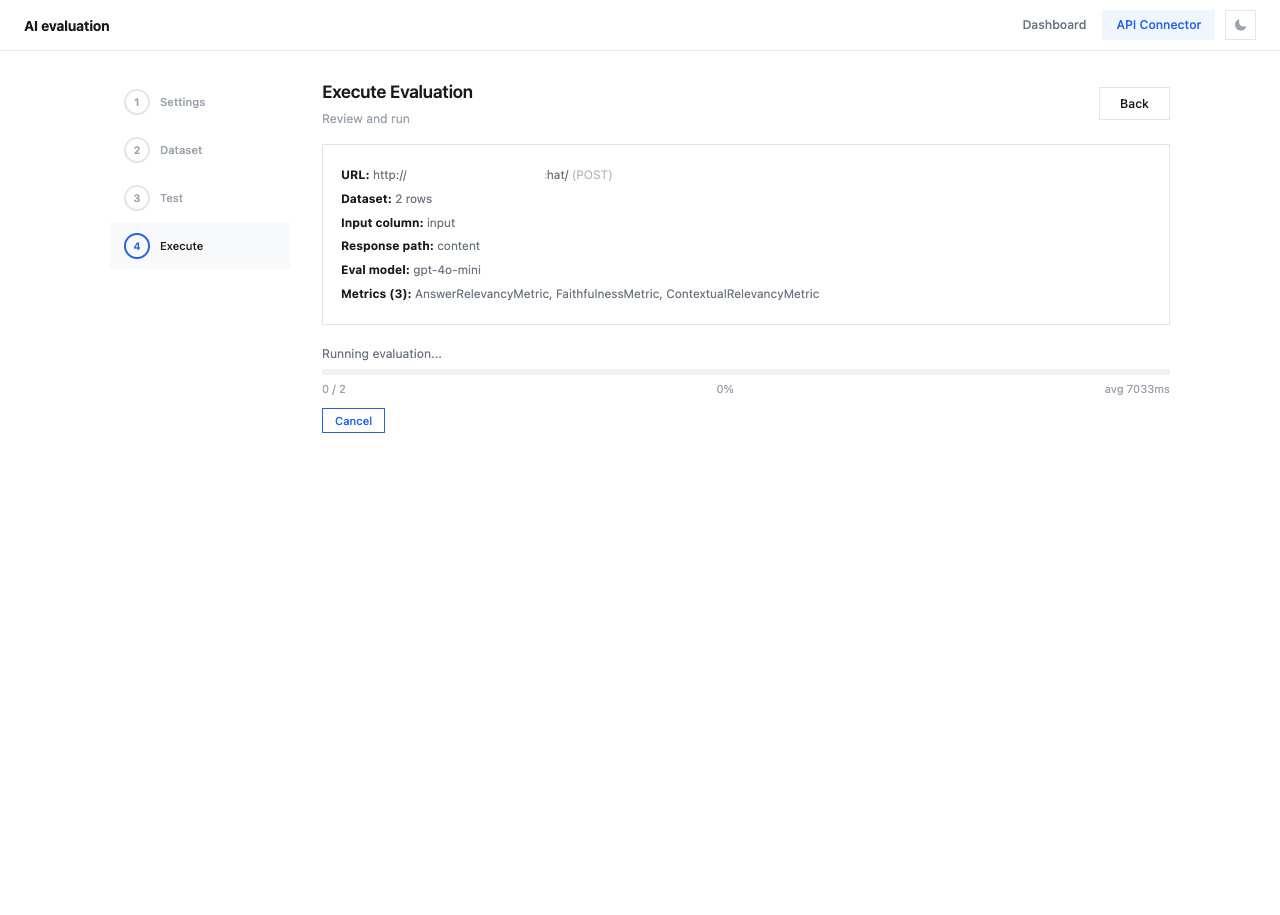
Configuration Summary
Before running, review the summary:
| Field | Description |
|---|---|
| URL | API endpoint and HTTP method |
| Dataset | Number of rows to evaluate |
| Input column | Dataset column used as input |
| Response path | JSONPath for extracting actual_output |
| Eval model | Model used for scoring (e.g., gpt-4o-mini) |
| Metrics | Number and names of selected metrics |
Validation
The system checks your configuration and displays warnings for any issues:
| Warning | Fix |
|---|---|
| "No API URL configured" | Set endpoint in Connection |
| "No dataset uploaded" | Upload data in Dataset |
| "No response mapping for actual_output" | Configure Response mapping |
| "No metrics selected" | Select metrics in Metrics |
The Run Evaluation button is disabled until all validation passes.
Running the Evaluation
Once all checks pass:
- Click Run Evaluation
- A progress indicator shows the current status
- Each dataset row is sent to your API, then scored by the evaluation model
- Results are automatically cached in
.eval_cache/ - After completion, navigate to the Dashboard tab to view results
What Happens During Evaluation
sequenceDiagram
    participant C as API Connector
    participant A as Your API
    participant E as Eval Model
    participant D as Dashboard

    loop For each dataset row
        C->>A: Send request (with row data)
        A-->>C: API response
        C->>C: Extract actual_output
        C->>E: Score with selected metrics
        E-->>C: Metric scores
    end
    C->>D: Cache results
    D-->>C: View on Dashboard
Tip
Save your project configuration before running. If anything goes wrong, you can reload and retry without reconfiguring.