Settings
The Settings tab configures LLM providers, the evaluation model, request parameters, and cost tracking.
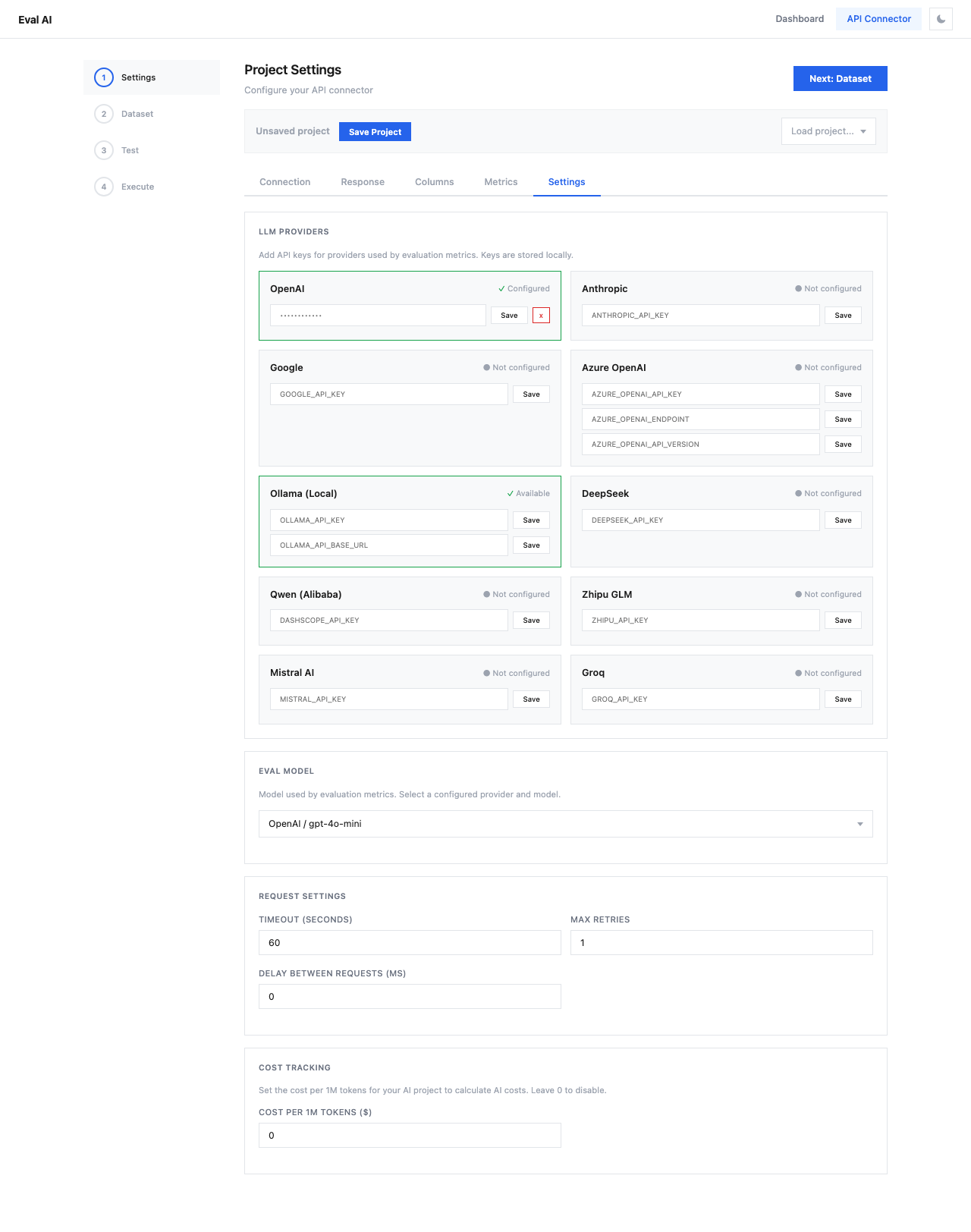
LLM Providers
Add API keys for LLM providers used by evaluation metrics. Keys are stored locally in the browser.
| Provider | Environment Variable | Status |
|---|---|---|
| OpenAI | OPENAI_API_KEY | Required for most metrics |
| Anthropic | ANTHROPIC_API_KEY | For Claude-based evaluation |
GOOGLE_API_KEY | For Gemini models | |
| Azure OpenAI | AZURE_OPENAI_API_KEY, AZURE_OPENAI_ENDPOINT, AZURE_OPENAI_API_VERSION | For Azure deployments |
| Ollama (Local) | OLLAMA_API_KEY, OLLAMA_API_BASE_URL | For local models |
| DeepSeek | DEEPSEEK_API_KEY | |
| Qwen (Alibaba) | DASHSCOPE_API_KEY | |
| Zhipu GLM | ZHIPU_API_KEY | |
| Mistral AI | MISTRAL_API_KEY | |
| Groq | GROQ_API_KEY |
To configure a provider:
- Enter your API key in the input field
- Click Save
- The status changes to "Configured" with a green checkmark
Note
Provider keys are used by the evaluation model (the LLM that scores your responses), not by the API you're testing. For example, if you're testing a custom API but evaluating with GPT-4o-mini, you need an OpenAI key.
Eval Model
Select the model used for evaluation scoring:
- Choose from configured providers (e.g.,
OpenAI / gpt-4o-mini) - The dropdown shows only models from providers with valid API keys
Tip
gpt-4o-mini provides a good balance of quality and cost for most evaluations. Use gpt-4o for higher accuracy on complex metrics.
Request Settings
Configure how API requests are handled:
| Setting | Default | Description |
|---|---|---|
| Timeout (seconds) | 60 | Maximum wait time per API request |
| Max Retries | 1 | Number of retry attempts on failure |
| Delay Between Requests (ms) | 0 | Wait time between consecutive requests |
Tip
Set a delay of 200-500ms between requests to avoid rate limiting from your API provider.
Cost Tracking
Set the cost per 1 million tokens for your target API to calculate total evaluation costs:
- Cost per 1M tokens ($) — enter
0to disable cost tracking - The calculated costs appear in the Dashboard after evaluation completes